Friday, March 20, 2009

What is FOREX ?

Forex (FOReign EXchange market) is an inter-bank market that took shape in 1971 when global trade shifted from fixed exchange rates to floating ones. This is a set of transactions among forex market agents involving exchange of specified sums of money in a currency unit of any given nation for currency of another nation at an agreed rate as of any specified date. During exchange, the exchange rate of one currency to another currency is determined simply: by supply and demand – exchange to which both parties agree.

The simple sense of Forex (Forex currency exchange, Foreign Exchange) is simultaneous purchase and sale of the currency or the exchange of one country's currency for the one of another country. The world currencies do not have a fixed exchange rate and are always fluctuating being traded in the currency pairs like Euro/Dollar, Dollar/Yen an others. 85% of daily trades are taken by major currencies trading.

Investments usually deal with 4 major pairs: Euro against US dollar, US dollar against Japanese yen, British pound against US dollar, and US dollar against Swiss franc or EUR/USD, USD/JPY, GBP/USD, and USD/CHF used to sign these pairs accordingly. These major pairs are considered as Forex market's "blue chips". You will not receive any dividends on the currencies. Well known "buy low - sell high" gives the profit for currency trades.

In case you have a forecast that one currency would get higher to another you can exchange the second one for the first one and wait for the profit. If you are lucky to see the trades following your forecast you can make an opposite transaction and to exchange currencies back gaining the profit.

Forex transactions are carried out by Forex brokerage companies, also known as major banks dealers. Forex market is worldwide and your European colleagues may make a transaction with Japanese traders when it's time for you to sleep in the North America. There are 3 shifts for the major institutions to work in due to 24-hours a day activity of the Forex market. It's possible to ask for overnight execution for take-profit and stop-loss orders of the client.

Prices in the Forex market fluctuate without any dramatic changes unlike stock market where considerable gaps are likely to be seen. There isn't any problems entering and exit the market due to its daily turnover of about $1.2 trillion. Forex market can not ever be forced to stop. The transactions were carried out even in 2001, on September, 11th.

Foreign exchange market (also called Forex of FX to shorten the name) is the oldest market in the world. It is also seen to be the largest one. Being currencies' primary market working 24-hours a day, Forex is also the largest market with highest liquidity. This is an interbank market carrying out spot (or cash) transactions. The currency futures market, to be compared with Forex is traded only 1% as much.

Forex market doesn't have any exchange center unlike the stock market. Forex trading seem to go after the sun around the world, from banks of the United States to other parts of the world like Australia, New Zealand, the Far East or Europe and back to the US some time later.

High minimum amount of transaction and strict financial requirements used to make this interbank market unavailable for small speculators. The only dealers of currency markets were banks, huge-amount speculators and largest currency dealers. They had an ultimate access to this market dealing with lots of primary exchange rates of the world currencies, the market with an extremely high liquidity along with an unusually strong nature of trends.

Nowadays small traders have an opportunity to purchase the small lots (units), as a result of the large inter-bank units being split by market maker brokers like eToro, at the amount they like.

The traders of any size like small companies and individual speculators have an access to the market at the same price fluctuations and exchange rates which only large players used to enjoy recently. Market makers monitor the rates so that produce their profit on the difference of rates at which the currency was bought and sold.

Foreign Exchange Market has an acronymic name Forex. It has the largest size and the liquidity throughout the world nowadays. Forex daily transactions are carried out at the common amount from 1 to 3 trillion dollars. There is no stock market that is able to deal with a comparable amount of money.

This enormous market is like the dangerous sea where you can meet lots of sharks and dangerous waters but at the same time it is the only one where two weeks of trading can hypothetically bring you $1,000,000 out of $1,000 of initial investment.

This is certainly hypothetically because a lot of newbie traders deal with their trades as gambling, that surely bring them to having nothing in the end. You should always keep the phrase "be careful!" in your mind. This market would give you its profit possibilities only if you learn the basic things hard and make lots of demo trading.

The statistics is that as much as 95% of traders come to losing their money at Forex, 5% have profit and less than 1% of traders make large fortune at Forex. You shouldn't produce, sell or advertise anything trading at Forex. Your assets are your knowledge, experience and a small amount of cash.

This market is a platform for banks, transnational corporations and individual traders to change the currencies they possess into other ones. This is the spot Forex market. At this market you can trade with up to 1:400 leverage which means that you'll get $400 on your account for each dollar invested. So, you can trade with the $400,000 sum having invested $1,000 onto your account.

Still, lots of experienced traders consider such leverage dangerous and won't get started with it. Though, if you know how ho use such high leverage it will do you only good. But this is the place to stop speaking about the basic things. Keep reading these articles if you want to be aware of how this market has occurred and some of its historical matters.

Now it is time to speak about the strategies and the way of making money at Forex some traders use. First we should say that the things that work in one case do not certainly work in another. The fact is that currency trading surely means risk. Still, there are a number of strategies for the newbie to use to be the winner.

Forex trading may seem very easy but it is not. Your high today earnings may turn into considerable losses even of your starting capital tomorrow. Newbie traders are likely to make the same mistakes several times. Here is a list of such typical mistakes.

1. There is no use of searching the "Holy Grail"
This phrase is to think for those who are scared of losses or being too greedy does his best to get rich in no time. You can surely make lots of money during some time and there isn't a necessity of producing and advertising anything but a huge homework is required to learn first. You have to know how this market works and which factors can take the exchange rate up or down. You should also be aware of the effective management for your money not to lose everything.
The majority of traders starting at Forex, look for their ultimate strategy that will cause no losses and will bring only profit. The desire of such people is to make a strategy that guarantees stable profit and millions of earnings in a short time without any losses for them to quit and enjoy their fortune and the new huge house. This will never bring any success.
There is no strategy that will give you only profit and such research is only waste of time. High profits of trading are caused by high risk, and you won't earn a fortune without being on the knife edge. Don't be sure that every trade will close in advantage to you. You will always feel uncertain and there is no way to vanish it. It means that you should always be ready to the possibility of your strategy failing even if it is thought as perfect.

You'll save a plenty of time and nerves by avoiding the search for the perfect strategy of earning millions. Even if you find this strategy you won't ever need it. You'll see why later.

2. Apply fundamental and technical analysis.
At the beginning of my trading I relied only on the money management on which I wanted to base my strategy and saw no sense of these analyses. But money management which is still very important doesn't worth omitting them. You can forecast the direction of the market basing on your technical and fundamental strategies to see their effectiveness.

You'll be able to make forecasts of price movements by applying the past data of the prices and graphs to the technical analysis methods. You can predict future prices with the level of accuracy dependent on your technical analysis skills using the graphs of the rates you observe.

Trading with some brokers you can see technical indicators along with the graphs. You can apply it to your demo account and estimate your prediction skills necessary for planning trading decisions.

It is impossible to choose the most effective indicator among lots of various ones. Each trader has to decide for himself which indicator is best for him. You can't find any magic formula; you just see the graphs, make your forecasts and find out whether they come true seeing the values in the news later.

Your decisions form this formula along with your knowledge that occurs out of the practical experience. Starting trading with an online broker it's best for you to trade with yourself on the sheet of paper rather than invest real money at once.

There are a lot of technical analysis indicators available but here are the ones which are the most wide-spread: the Moving Average Convergence Divergence (MACD), the Bollinger Bands, Pivot Points, RSI, Stochastic, Fibonacci, EMA, Elliot Waves.
The broker's software will automatically make all the necessary calculations when you add the technical analysis indicator to the graph so that you'll see some facts which are unavailable without using these indicators. It is even possible for you to build your own technical systems basing on these indicators.

Fundamental analysis is another tool that maximizes your profit and minimizes your losses on the trades. There are some traders who prefer only one kind but the majority prefers both.
Fundamental analysis means trading following the news, e.g. telling about the economies or unemployment rate in the countries of the currencies you trade. They can also tell about the events that can have a strong influence on the currencies' exchange rate.
You can make forecasts on the market direction by following the news as well.

3. Use the strategies of money management.
Money management strategies let you win or lose. You should use them to be in a profit. Many traders make too vast investments in every trade and this is not always rational and reminds of a saying: "Expect to make too much and you will make too little, expect to make little and you will make a lot." It means that even if you invest much trying to get a lot on every trade you can lose all and even if you make small investments looking for a small reward you can make a lot in some period.

1% of the total sum of your account is the maximum sum of the potential risk. This is the first rule of the money management. Stop loss and limit orders may help you to follow this rule. This may be the reason of the small profit, especially if you have small initial investments, but by compounding a part of you profit or the whole one you can get an exponentially growing income.

This strategy of compound profits is the one that helped to make millions on financial market instead of gambling that results in losing all investments quickly.

Here is the example of the opposite tactics that many traders follow. Imagine that you have an initial investment of $5,000. You're lucky to possess the trading account and you enter a $1,000 trade. In case the markets trends down and you lose your $1,000 your assets become $4,000. You keep following your strategy and enter a $1,500 trade being sure that the market is at its low and hoping to get back your $1,000 plus earn $500 more. Then the market keeps moving against you leaving you with $2,500 on your account which is only one half of your starting capital. This is a very difficult situation to recover from.

Saturday, March 14, 2009

Microsoft's Origami

Microsoft has suddenly taken the center stage of technology world with its new product called Origami. Every major media of the world seems to be running after Origami now. All the news websites contain more than one article about Origami. It seems that Origami is the next big thing in the technology world is going to dominate the market in the next few months or may be years. Intel is with Microsoft in making Origami. Origami is expected to address a new market for portable computers. It is neither a laptop nor a smart mobile phone or PDA but has can do many works for a user. In terms of size it is in the middle between a PDA and a notebook PC. The only shocking thing is that the device will not be called as Origami but as Ultra-Mobile PC (UMPC) and most probably this name will gradually take place of the name, Origami.
Speculations were very high among the tech bloggers from around the world about Project Origami in the last few months. Although scare information was available until recently, every one expected Microsoft to produce something that would create a storm in the technology world.
Microsoft bosses hope that they have been able to address a new market with Origami since it is a unique device in terms of size, price and performance. It is so light that its weight is less than 2.5 pounds and it comes with a 7-inch touch-sensitive screen. Thus Origami is really portable. Microsoft officials are upbeat with their optimism that within a few years Origami computer (UPMC) will become indispensable like mobile phone. Perhaps the main reason behind their high expectations is the versatile nature of Origami computers. It runs on Microsoft Windows XP Tablet PC Edition operating system and it can do many works including playing games, digital music, mobile communication, and surfing internet, checking and responding to emails and so on. In future, Origami computers will run on Windows Vista. Origami computers can support both Blue Tooth and Wi-Fi wireless technology. This also means that a user can use his keyboard with the help of wireless technology. They run on microprocessors built by Intel. The only thing that a user may miss is keyboard. However, it has USB 2 ports and thus adding an external keyboard is not a problem. 30 to 60 Gigabyte hard drive means a user can really use it like a regular PC too.
Samsung Electronics Co. Ltd., Taiwan's Asustek Computer Inc. and China's second largest PC-maker, the Founder Group, are the 3 companies who are going to produce the hardware of Origami computers (UMPC). All of them are serious players in the technology world and naturally they will try their best to make Origami computers popular in the market. Samsung's product (known as Q1) will hit the market in this May. However, the price of Q1 is going to high.
Who will be the main customers of Origami computers? Microsoft officials are hopeful that this device will attract everyone. Since it can do the works of a mobile phone, a personal computer, a notebook and a PDA handheld device, Microsoft bosses have the feeling that may be this is the ultimate portable device we all need. GPS, a webcam, fingerprint reader, digital TV tuners, and compact flash and SD card readers will be in many Origami computers (UMPC) in very near future. Wi-Fi, Bluetooth and Ethernet networks can be used to connect between Origami computers and wide-area networking is on the card too.
Many people think that project Origami is an effort to seriously challenge Apple's IPOD, the portable music player. iPOD has remained largely unchallenged since its birth as a portable device and many bloggers have speculated the emergence of Origami from Microsoft as a response to Apple's supremacy in the portable device market. However, Microsoft officials are in no mood to confirm this theory and surely they have a strong point. Origami is not just a music player like iPOD but lot more than that. Microsoft officials can also argue that many players have been trying to make an ultra thin and ultra light but very powerful portable computer but Microsoft could make the breakthrough. Since, Origami computers run with Windows XP operating system, it will be able to do many functions. This feature will also make the works of application developers easier.
The main problem with Origami computers is its high price. When Bill Gates first talked of the idea of an ultra light portable computer, most people got the perception that its price would be under US $500 but we already know that the price will be from US $600-1000. Such a high price may discourage many users. However, it is natural that any technology is expensive at first and later becomes cheaper. The same will happen for Origami computers too. Finally, Origami is not just a source of entertainment but also
Microsoft's bid to enter into the portable device market seriously will surely create pressure on other industry players. It is for sure that other major players both in the hardware and the software world will try to come out with something substantial to answer to Microsoft's challenge. If another company can address the price issue seriously then surely Microsoft and its partners will face serious challenge. On other hand, we are yet to get any reaction from the open source world about Microsoft's Origami computers. Are they thinking of their own version of UMPC?
Until a few years ago, the idea of an ultra thin computer was like a science fiction. Microsoft has successfully brought this idea into reality with its project Origami. We have heard in the recent years that the computers of tomorrow will be thin like paper and users will be able to fold them after using. Project Origami only reminds us that the researchers are not sitting idle to make this idea into reality.

Why a Tablet PC May Be Right For You

Get ready for a new type of computer that is about to be as common as the laptop. In fact, you could think of it as the next evolutionary step of the laptop.
Before you replace your current portable computer, you may want to get yourself informed about this handy new machine that is known as the Tablet PC.
Of all the personal technology advances we've seen over the past five years, the Tablet PC has to rank among the most significant. For the Tablet PC is truly one of the most innovative and useful products that is just now starting to gain major traction. These machines, which are powered by a specially tweaked version of the Windows XP operating system, allow users to scribble notes on a screen with a pen-like stylus, turning handwriting or block printing into what's called digital ink.
Although Tablet PCs have been on the market for a few years now, much of the public has been unexposed to them. That's about to change. Tablet PCs are now showing up on TV commercials, in magazine and newspaper ads and being exuberantly talked about through word of mouth. Maybe it's time for you to consider one.
Some Tablets are slate models only. That means there is no keyboard, just the screen. You write on them like those old Etch-a-Sketches that kids used to play with. Others, are called convertibles. Flip the screen up and it looks and works like a notebook computer, with a keyboard, CD/DVD slot, track pad and the like. But swivel the screen around and down over the keyboard and it's a slate.
All of the big computer makers produce Tablet PC models: Dell, Gateway, Toshiba, Lenovo (IBM), Fujitsu and others. There are a couple of Tablet-only makers, too, like Motion Computing and Rugged Computers. Even Apple Computer with its fabled Macintosh line is rumored to be close to developing a Tablet version.
You can get a Tablet PC for arounf $1,800 with most of the features we all demand in portable computers like wo-fi Internet access and Bluetooth wireless. Some models have built-in CD.DVD drives (which adds to the weight factor), others include them as external devices.
Whatever you do, make sure you get enough memory to run all those cool applications. My recommendation is at least one GB, instead of the standard 512MB on most machines.
Over the past couple of years, Tablets have sold fairly well in what are known as vertical markets, among niche interest groups like students (great for note-taking and recording lectures), medical professionals (for keeping track of patient records) and salespeople (for forms and order-taking). Indeed, some schools are now giving Tablet PCs to their students, that's how great they are as educational tools.
But now that the momentum has built up, most observers are convinced the real market is much larger ... and largely untapped, if you'll excuse the pun.
The Tablet PC does everything a regular computer does. It has a complete Windows XP operating system and can run all of the normal programs and applications consumers are used to on their desktops and laptops. The big difference is that with a Tablet PC, you can also use that electronic stylus to run many programs, taking notes by hand or tapping on the individual letters of an on-screen keyboard representation to type.
Handwriting can be converted to type with just a tap of the stylus, though, obviously, the neater you write or print, the more accurate will be the conversion into type.
I've been a a tablet user for several years and, truthfully, I seldom convert handwritten notes on the Tablet. I don't need to. I can read my own notes just fine. And there's something satisfyingly personal about seeing my scribbes on a computer screen. It's sort of the ultimate in customization.
While a Tablet does everything a regular computer does, they have the added advantage of some special tablet-only software enhancements. I bought a $39 add-on to the Outlook program that lets me use digital ink to enter calendar, to-do, journal and contact info. And a $99 program called PlanPlus from Franklin Covey puts the equivalent of a Franklin Planner on my Tablet. I've fallen in love with this application.
Then there's Microsoft OneNote, which comes bundled on many of the Tablets sold today or can be purchased separately for $99. OneNote I believe, is the most amazingly useful application for any platform I have ever tried.
Besides the digital ink note-taking and organizational features, OneNote uses the built in microphone on the Tablet to record meetings, lectures, interviews, whatever you want. As you take notes of a presentation and hear something that's important, make a star or exclamation mark next to someone's words that you've jotted down, just as you do with pen and paper notes. Afterwards, as you review the notes, you can tap on the special mark you made to hear the actual recording of the subject as the presenter spoke the information.
No matter how much I use OneNote, it blows me away every time.
If you're thinking about a new laptop and if note-taking is a part of your life, a tablet should be at the top of your shopping list.
It's that handy.
Is a Tablet PC right for you?
Obviously, only you can answer that. But it's been my esperience as a longtime road warrior who has used all sorts of laptops, that the Tablet PC offers so many more features and so much more convenience than a standard laptop that I would never go back.
I bet you will feel the same.

Tablet PC - Information

A tablet PC is a refined and mechanized version of what the Egyptians used to write on clay tablets with a writing stick. Tablet PC has replaced the clay tablet with a screen and the writing stick with a stylus. The main advantage of using a PC Tablet whose idea was conceived by Alan Kay of Xerox, is of portability, with the size they offer it makes ultra convenient for a person to actually carry with himself!! First ever tablet PC to hit the market was Newton of Apple Computers. . They come in various sizes like 8.5 inch, 10 inch and 14 inch. As this is compact device the hardware is minimal which consists of a slim touch screen, stylus, optional wireless keyboard and mouse. In this type of computers the data input is not through the traditional mouse and keyboard but through a stylus or a virtual keyboard on the screen. It also has the facility of data input through wireless keyboard and mouse. The stylus which is used to write directly/tap on the screen or fingers are used to input data through the touch screen makes it really very convenient for the user to enter some information to Tablet PC. What makes Tablet PC screen respond to stylus is that there is a magnetic field over the screen which interacts with the stylus electronics, hence the user can rest his hands on the screen without altering the image and only stylus movement affects the screen. Moreover users who are not comfortable with keyboards find stylus more friendly, they do not butt in line of sight as they are kept on the table and are helpful in meetings and are handheld so can be used in giving presentation while standing up.Many varieties of Tablet PC’s are floating in the market like slates, convertibles and hybrids. Slates are having the minimum of all, just the screen and the stylus. A slate is termed to be convertible when it is attached with a keyboard. The Hybrid version has a detachable keyboard so that it can be used both as a slate or a convertible.Software’s that are prevalent in Tablet PCs are handwriting recognition software, speech recognition software, shorthand entry software, virtual keyboard etc. Various companies like Acer, Lenovo, Toshiba Fujitsu, HP, Gateway, Compaq, Motion, NEC etc are manufacturing Tablet PCsNow the question arises, that portability which a major plus point in Tablet PC, then why it was not a success, answer lies in its cost. Due to high initial prices it could not attract huge customer base but with lowered cost and also with the advancement in battery technology, handwriting recognition software, wireless internet access, larger memory, better screen resolution they are being accepted as commercially viable option. Tablet PCs are bound to replace the notebook & pen and future books, magazines, newspapers.Certainly the tablet PC may be considered the pen and notebook of the future.

Finding The Best Tablet PC Computers For Sale

Have you bought your personal tablet PC computer already? And just don’t tell me you have a Tandy 1000! I am sure you have hurled it in an empty room. I am talking about a real up-to-date computer. Is it a computer with all Internet access capabilities? Is it one, which is the latest array of technology! Maybe I’m going too far with this computer stuff. I just want you to be sure that you have the proper PC or Mac.In order to witness the latest achievements of technology you’d better upgrade your computer. Otherwise, you should be acquainted with the wide variety of computers for sale. The computer is such a complicated machine that if fact there is no limit to what is available for sale. Computers can perform many complicated tasks nowadays. Do you want to burn a CD? Do not worry at all! Do you want to have high-speed cable Internet access at home? You will surely have it! Up-to-date machines can satisfy all your whims. You just need to search for computers for sale. If you don’t have a proper computer, computers for sale are your only chance.Now, we must make sure that you are aware of where to look for computers for sale. PCs shopping are not a difficult challenge. Computers for sale are available almost everywhere. I guess that there is even a PC shop on your street. May be one of the best places for shopping for PCs is Circuit City.Computers For SaleThen, you should think twice of what you want your personal computer to be able to do. If you want your computer to perform simple tasks like Internet access, sending e-mails and typing documents, it will be easy to choose. Moreover, your computer won’t cost very much. For example, you can buy a Dell desktop package for around 300 dollars. This is a reasonable price. The package consists of monitor, tower, keyboard, mouse and often a printer. Another good shop for computers for sale is Best Buy. You can find there great alternatives of computers for sale ranging from Sony to IBM.Do you prefer to buy a simple desktop PC or you dream of a mini notebook computer? I was very glad to see that nowadays they offer computers for sale as small as a half an inch thick. These computers even work as good as the desktop PCs! Using your computer, you are able to spend less to buy your favorite music. You can do this by simply downloading the tunes to the computer, and then burn them to a CD.On the World-Wide-Web, a superfluity of computers for sale is available. The choice is so big that you may find yourself lost it the variety of computers for sale. Have you already searched for computers for sale? You can find online everything that is connected with computers in some way. Try to receive an advice that you are offered the best deals on hardware and software. Isn’t it time to take a look at the computers for sale online? When talking about computers, things are changing every day.

The Advanced Technology Of The Toshiba Tablet Pc

Featuring the latest advances in computer technology, the Toshiba Tablet PC is a notebook style computer designed to allow interactive writing on the screen. Touch-screen technology enables users to write with either a stylus or a digital pen. Eliminating the need for a standard mouse and keyboard makes the Toshiba Tablet PC a real asset for executives on the go. For easy access and presentation capability, the Toshiba Tablet PC includes a swivel screen that can be turned out or in depending on the needs of the user. With all the power of a regular notebook PC and the advanced touch-screen capabilities, it represents the future of computer technology.
Features Available on the Toshiba Tablet PC
Just as with standard notebooks, the Toshiba Tablet PC can be customized to include the features that will be most applicable to each user. Selecting the options that will provide the most benefit allows for greater overall value. In addition to the normal applications available, the Toshiba Tablet PC can include:
* Versatile RAM Memory – Original and expansion memory can be added as necessary.
* Wi-Fi Capability – Get connected to the internet anywhere without the hassle of wires and dial-ups.
* Bluetooth Connectivity – Allows for optimum use of Bluetooth devices and synchronization.
* Flash Memory Drive – Increases the amount of mobile memory in your PC.
* Toshiba Custom Utilities – Created specifically for Toshiba PCs, utility software enables you to monitor and repair your system.
* Dual-Axis Accelerometer – Automatically detects the screen position and adjusts the visual accordingly.
* Docking Capability – Makes working with a Toshiba Tablet PC as simple to operate as any desktop PC.
Toshiba Tablet PC Models
Toshiba offers several models of their popular tablet PCs. Finding the right Toshiba Tablet PC is a matter of determining the power and utilities you most need. Tablet PCs range in price depending on the model and accompanying features. Some of the most popular models include:
* Toshiba Portege M200 Series - One of the most desired tablet PCs on the market, the Portege M200 series contains everything you from a notebook and tablet PC. Features on the Portege series:
1.5GHz Pentium Processor
256MB Expandable RAM Memory
40GB Hard Drive
12.1” Display Screen
2 USB 2.0 and VGA ports
Network Connectivity: 10/100 Ethernet, Modem or Wi-Fi
Storage: PC Card Type 1, SD Slot
Weight: 4.4Lbs
* Toshiba Satellite R15 Series - A step up from the Portege model, the Toshiba Satellite R15 Series gives you even more power for your applications. Features on the Satellite R15 Series:
1.7GHz Pentium Processor
256MB Expandable RAM Memory
40-80GB Hard Drive
14.1” Display Screen
3 USB 2.0 and VGA, FireWire
Network Connectivity: 10/100 Ethernet or Modem
Storage: DVD Double Layer Drive
Weight: 6.1Lbs
* Toshiba Tecra M4 Series - The top-of-the-line in tablet PCs, the Toshiba Tecra M4 Series supplies advanced power, memory and application capabilities for a complete tablet PC package. Features of the Tecra M4 Series:
1.73Hz Pentium Processor
256MB Expandable RAM Memory
80GB Hard Drive
14.1” Display Screen
2 USB 2.0 and VGA, FireWire, S Video Ports
Network Connectivity: Gigabit Ethernet, Modem or Fast IR
Storage: DVD Double Layer Drive
Weight: 6.2Lbs
About The AuthorPaolo Basauri is an expert author who writes for Toshiba Tablet PC http://www.best-tablet-pc.com.

Better battery life and improvements

Notebooks continue to represent a popular choice among small to medium-sized enterprise road warriors. And while maximum battery life is a principal feature, buyers must weigh notebooks' power consumption advantages against trade-offs in performance. Indeed, despite growing demand for PDAs, handheld PCs, and other mobile devices, users often prefer notebooks' keyboards and screen sizes when crunching numbers, checking email, or preparing PowerPoint presentations. The challenge for OEMs has been to boost notebook battery lives while packing the machines with increasingly power-hungry CPUs and graphics processors. The Trade-Off Factor The ultimate goal? To offer the same capabilities that high-powered, battleship desktops offer in a notebook form factor that can run on battery power alone during an entire workday or transcontinental plane ride. Unfortunately, the gap remains between ultra-high performance, power-draining processing power, and long notebook battery lives. "It's a battle between end user wants for better battery life and improvements in technology that sometimes require more power," says Howard Locker, chief architect for desktop and mobile development at IBM's personal-computing division. "Battery life is also a trade-off between weight and size. You can put a bigger battery in a laptop to get more battery life, but it will weigh more." Notebook battery life is largely taxed by the applications running at a given time and the power of the CPUs, graphics processors, and other components, which must be scaled down to reduce power consumption. "For a longer battery life, a trade-off in performance is thus necessary. It might take a little longer to do things, but if something takes four seconds instead of two seconds but your battery lasts another 45 minutes, then that is a good trade-off," Locker says. "[Designing] intelligent power management by detuning functions and performances that are not needed is critical." Battery-Life Kings So which notebooks on the market offer the longest battery lives? The answer varies according to many performance variables and form-factor preferences, but Tablet PCs from Electrovaya (www.electrovaya.com; 905/855-4610) and notebooks from IBM (www.ibm.com; 888/839-9289) stand out, says Rob Enderle, an analyst with the Enderle Group. "In Tablets the Electrovaya Scribbler is the clear winner with nine hours of battery life, but of course you would kind of expect this given Electrovaya is known for its work in batteries, not computers," Enderle says. "The IBM T Series, with its large battery, used to be the segment leader with around six hours of battery life." So what are Electrovaya's and IBM's secret sauces? "The Electrovaya uses a special high-capacity battery, and IBM's product has a combination of a large battery and a system tuned for battery life as opposed to performance," Enderle says. "The Electrovaya also has a special high-capacity battery that is unique—or at least for now." So what are the trade-offs involved? "Both products are slow to use, particularly if you run a suite of virus, antispam, and anti-spyware offerings," Enderle says. "However, once the applications are up and running, the performance hit doesn't seem as bad, and many users can get used to it." Several components are responsible for the performance hit vs. long battery life in the IBM T Series and Electrovaya offerings. "What is causing the performance hit is slower moving drives, which may at times actually spin nearly all the way down between reads, processors working at a fraction of their potential on battery life, dimmer screens, and lower power fans," Enderle says. Electrovaya largely attributes the Scribbler's long battery life to its patented LiIon, 75 watt-hour battery. The SC2100 also features a 1.3GHz Intel Centrino processor, a 12.1-inch display, 802.11g wireless capabilities, and an 80GB hard drive and weighs in at 3.5 pounds. IBM's ThinkPad T43, introduced last month and available in April, weighs 4.5 pounds and is also equipped with an Intel Centrino processor that supports up to 2GB of DDR2 system memory. According to IBM, the new T43 can offer up to eight hours of battery life while running office applications, including Internet connectivity with an 802.11 connection. Battle Of The Form Factors HP (www.hp.com; 800/752-0900) this month attempted to shake up the battery life sector with the launch of the HP Compaq 6220/6230 notebook series that the company says can offer more than nine hours of battery life when a travel battery, which is sold separately, is added. The notebook's form factor enables the travel battery to be attached directly to the notebook so that it is simultaneously operable with the integrated battery. The notebook series, which offers Centrino CPU clock speeds up to 2.13GHz and a memory capacity of up to 2.048GHz, weighs in at 5.99 pounds when the travel battery is attached. In addition to the Intel Centrino processor that offers SpeedStep power-saving controls and Intel's Display Power Saving technology for the screen—which represents the most significant power-draining component—HP also says its patented NIC technology helps to lower power consumption on a BIOS system level. Nine hours is also a realistic benchmark for the HP Compaq 6220/6230 notebook series when running typical applications, such as accessing the Web and checking email with the Centrino chipset's 802.11 capabilities, using a word processor or other applications, the company says. "Nine hours is a realistic test of what you would experience while sitting in a conference room in a, God forbid, nine-hour meeting," says Herman de Hoop, a worldwide technical marketing manager for HP. ASUS (www.asus.com; 888/678-3688) also represents an OEM with a consistent notebook offering that at least keeps the vendor in the battery longevity notebook race. The company also relies on Intel's Centrino to regulate its latest M3Np notebook's power-saving features at clock speeds of 1.30GHz to 1.70GHz. With ASUS' Power4 Gear power-consumption technology, the company maintains the M3Np can operate more than five hours. The M3Np weighs about 5 pounds. A 10-Hour-Plus Battery Life? So what is in store for next-generation long-battery life notebooks? OEMs will likely continue to rely on power-saving capabilities of CPUs, as well as BIOS and other system tweaks to reduce notebook power consumption in future models, but no breakthroughs in battery technologies are in store for the near term. It will likely be several years before battery lives extend beyond 10 hours, which will probably involve replacing power-hungry LCDs with new display types, Locker says. "I don't see battery life [extending to] up and beyond 10 hours [in the near future]. Inventing a new technology to replace the panels with OLEDs, for example, would do it, but that is four to five years out," Locker says. "However, [OLEDs] will also probably represent the next breakthrough on a system leve

Should Your Next PC Be A Tablet PC?

If it's time to consider getting a new laptop computer, you may want to look into getting a Tablet PC instead. A Tablet PC is the perfect choice for the professional on the go, or for anyone who is into mobile computing. The Tablet PC gives the user all the benefits of a regular laptop pc, with some really cool features which are only found in a Tablet PC.
Tablet PCs come with the Windows XP operating system, but it's the Tablet PC version. It's the same Windows XP Professional that you're already accustomed to using, but it has a really handy added feature called Pen and Ink which allows the use of handwriting as input. The pen is used as a navigational instrument which operates like a mouse, and allows for quickly accessing any program or file within the Tablet PC.
Portability is just one of the perks that a Tablet PC has to offer. Flexibility is another strong point with Tablet PCs. Users can choose between a slate style Tablet PC, or a convertible model. Slate model Tablet PCs do not have an attached keyboard, while the convertible models have an integrated keyboard. Users who opt for the slate model can attach a keyboard externally if needed. Some models even come with detachable keyboards, adding even more flexibility to the Tablet PC.
You can buy your new Tablet PC with almost any of the devices that you're used to using on a laptop. The Tablet Pc can sport a DVD or CD-RW drive internally, or users can opt for one internal and the other be used as an external device. For long meetings or working extended periods at home, the user may make use of a docking station. When used along with an attached external keyboard, the Tablet PC functions as comfortably as a desktop PC.
The average Tablet PC has a standard 512mb of memory and is equipped with a 60 GB hard drive. If you're into gaming, then you may want to upgrade to 1 GB of RAM and possibly a 160 GB hard drive. The CPU usually falls within the 1.2 GHz to 2 GHz range, which gives the Tablet PC more than enough muscle to run all but the most demanding software.
As with any Pc purchase, it's always best to know what software the Tablet PC is intended to primarily run to insure you get the components needed for the best possible performance of the machine. If you're looking for a powerful, portable computer, the Tablet PC may just suit your needs better than a traditional laptop.

Active Ink Software Launches New Software Development Kit for the Tablet PC Platform

Laguna Niguel, CA (PRWEB) September 26, 2006 -- Active Ink Software, Inc., a Microsoft Premier Tablet PC Partner announced the general availability of the Active Ink Software Development Kit (SDK) for integrating custom forms into 3rd party applications."The ability to include custom forms quickly and present them to users in a powerful way just got a lot easier," said Allan Warren, Head of Development for Active Ink Software Inc. "Developers can now concentrate on the business rules of their application instead of the intricacies of collecting data on a Tablet PC." The Active Ink SDK is a programming tool that allows software developers to incorporate the Active Ink Client into their application by including a DLL that can be distributed as a runtime client license. The SDK allows you to customize and control the client assembly by modifying the user interface with your own custom menus, buttons and toolbars. The SDK notifies the third party application when the user takes specific actions allowing the developer to implement business rules.The Active Ink SDK works in conjunction with Active Ink Form Designer, a form-building application that enables end users and developers to build electronic forms for the Tablet PC platform. The Active Ink form is an ink-enabled document that can be used to collect data, drawings, images and signatures for 3rd party applications. The form can be filled out using a digital pen with the handwritten ink automatically being converted to text. The form can then be saved as an XML, PDF, JPG or TIF document and exported to an Excel spreadsheet or saved and retrieved from an Access or OLE-DB database (Oracle, SQL Server, etc.).About Active Ink SoftwareActive Ink Software creates electronic form design software for the PC and Tablet PC markets. The company's e-form solutions reduce operational costs by eliminating paper forms and duplication of entry. For more information, visit the company web site at www.activeinksoftware.com.

Using your Tablet PC or cellphone 4INFO

Thanks to wireless technology, it’s now as close as punching in 44636 on your cellphone or Internet-connected Tablet PC. Send that number via SMS – Short Message Service – and you can get sports scores, stats, weather info, stock reports even a list of movies and showtimes playing near you.Best of all, it’s free.For example: You’re having dinner with friends and decide it would be fun to continue the night by going to a movie. Whip out your cellphone or Tablet PC, open up your text messaging SMS application, address it to 44636 and, in the message body, just type the letter m, followed by a space and then your zipcode.Hit send and, in about a minute or so, back will come a text message listing theatres, movies and showtimes.How cool is that? Makes carrying a Tablet PC around worth it, doesn’t it?The service is a boon to sportsfans. Use your mobile phone and type in the information you want and a synopsis of the latest tournament action is texted back to your tablet or cellphone screen.You can get results by team or conference, or even have a message sent giving you the scores of specific games at the end of each quarter.There is no charge for the service from 4INFO, though wireless providers may charge for such messages, depending on the service package you have and whether data calls are bundled.If you register at the 4INFO Web site (www.4info.net), you can customize specific information needs and have them automatically sent to your phone.You’re asked to pick your wireless provider, note your phone model and then give your phone number with an e-mail address and a password. The service than sends a confirmation code to your phone. Enter that number in the set-up box and you’re registered.You can then choose from a list of topics you’re interested in getting alerts about - sports, weather, stocks and the like. You can even customize the data by team or game.A list of commands and an easy tutorial on what to type for specific information requests is available on the Web site.The 4INFO service is one of several that link the Internet with its ability to provide specific information on demand to mobile phones or Net-enabled Tablet PC computers. With most cell phones sold today capable of exchanging data as well as voice services, wireless providers like Sprint, Cingular and Verizon are finding big income streams in offering non-voice features through information brokers like 4INFO.That’s because the wireless providers usually charge extra for data, typically 10-cents per message. Most offer discounts when purchased in bundles, starting around $10 a month above the normal phone rates for 500 messages.A study by the M:Metrics research and marketing firm reported that 61 million Americans have used text messaging. The BBDO Worldwide advertising agency says a 2005 study it did with 3,000 U.S. cell phone users found 44 percent reported using the cell phone to flirt.Text messages use something called SMS for Short Message Service that is available on most cellphones sold today. With an Internet connection, you can use the Tablet PC to do the same thing. Most text messages are limited to about 150 characters or less, as set by your wireless provider.The 4INFO service (www.4info.net) is not the online text messaging service that will provide free information on demand to cellphones and Tablet PC computers.Both Google (text message 46645 or go to www.google.com/sms) and Yahoo! (text message 92466 or visit mobile.yahoo.com/search/smsdemo) offer online demos and lists of commands to send via text messaging to get local weather, movie, weather and driving information sent back to your cellphone. Both are free.Ask Me Now (www.askmenow) is a service that works a little differently. You register online and can then use voice service on your cellphone to call 888- 392-7563. Instead of typing text, you speak your question about just about anything and an answer will be sent back to your phone in a minute or so. For each answer there’s a 49-cent fee charged to your cell phone bill.

Getting The Most Out Of A Tablet PC

Tablet PC's were originally designed to put mobile computers in the hand of people working in the field. The people using them spent the majority of their time away from a desk and wouldn't have access to a keyboard or mouse. Users would make entries via stylus or digitizer. The lightweight and highly portable nature of these types of computers made them perfectly suited to field technicians and health care workers. These original models are known as slate tablets do to their distinctive one piece design. The entire computer screen and all was encased in one small unit, usually weighing 4 pounds or less. All of the units came with ports for connecting an optional keyboard, mouse, CD/DVD drive, printer, monitor or other computer peripherals. By choosing not to include all of these peripherals computer manufacturers were able to shave off pounds and lengthen the battery life considerably.
Many people were attracted to these new tablet PC's but still wanted a traditional keyboard setup. Manufacturers responded to consumers demand and the convertible tablet PC was born. A convertible tablet PC looks very much like a small notebook computer. Aside from the monitor it functions exactly like a traditional laptop computer. The monitor is attached on special hinge that allows the monitor to swivel, making it an extremely powerful tool for small customer presentations and demonstrations. The monitor is also capable of swiveling completely around and lying on top of the keyboard with its screen facing up. This gives it the appearance of the traditional slate tablet PC. Convertible tablet PC's traditionally have a larger viewing screen, larger hard drive, larger battery, and other accessories. These extras make it a much more powerful computing platform, but they also make it heavier and more expensive.
Is a tablet PC the right PC for you? The real question is how portable does you're computing lifestyle have to be? Do you spend a lot of time outside of a traditional office environment? Do you need to use a computer to record or makes notes while you're walking, or moving from place to place, if so a tablet PC is the perfect choice for you? For salespeople or business men who spend a lot of time traveling a convertible tablet is probably a much better option. It gives them more power, and more features, with a more traditional computer setup.

Traveling with your Table PC

Airline passengers are still being allowed to take carry-on laptops and Tablet PC computers, iPods, cellphones and other electronic gizmos aboard planes.But in the face of heightened security measures and long lines at airport security checkpoints around the country, some airline people are urging passengers to either leave their laptops and tablet PCs at home or pack them in their regular baggage.Here are some suggestions:1. Do you really have to take your Tablet PC? If it's just certain files you need, think about loading them on a small flash drive and taking that with you. When you get to your destination, plug the drive into the USB port of a coworker's computer or at the hotel business center and do your work there. Alternately, you could e-mail the files to yourself and open them on a borrowed computer at your destination.2. If you are going to check your laptop or Tablet PC computer as luggage, make sure it is carefully packed. Office supply stores and mailing centers sell sheets of bubble wrap. That will help you're packing them in a suitcase with your other items. Wedge soft clothing around them to further cushion any shocks and keep them from bouncing around. From a security viewpoint, carrying your tablet with clothes in a regular suitcase is probably the best idea.3. Consider investing in a new, hard-shelled computer case for your Tablet PC. Expect to pay $100-$150 from a company like Pelican Case (www.pelican-case.com). If you have a soft computer bag that you will ship with your regular baggage, make sure there's lots of shock-absorbing foam around the tablet computer. The bubble wrap idea wouldn't hurt here, either. You should know, some travelers don't like the idea of checking your Tablet PC in any sort of bag because… well, just seeing one of these tells thieves there's a computer inside.4. Before shipping your Tablet PC, activate the password or fingerprint protection feature so that to even boot up, you need a password. Check your tablet's Help and Support service to learn how to add or change the system password on your Tablet PC.5. Pack your chargers in the same bag with your tablet and cellphone. Make sure the Tablet PC and phone are completely off.

LE1600TS Touch Screen


Tablet Authority Announces the New Motion Computing LE1600TS Touch Screen Tablet Starting at $1,519 with Exclusive Rebate for $100 Store Credit
Tablet Authority, the premiere online Motion Computing Tablet PC reseller, announced today availability of the highly anticipated Motion Computer LE1600TS Touch Tablet PC.
Torrance, CA (PRWEB) May 22, 2006 -- Tablet Authority, the premiere online Motion Computing Tablet PC reseller, announced today availability of the highly anticipated Motion Computer LE1600TS Touch Tablet PC.The new touch screen model in the award winning LE1600 series is available in two configurations, with prices at Tablet Authority starting at $1,519.00.- LE1600TS Intel Celeron 373 Processor 1.0GHZ Celeron M - $1,519.00- LE1600TS Intel Centrino 758 Processor 1.5GHZ Pentium M - $1,879.00With any Motion Computing Tablet PC or Touch Screen PC purchase, Tablet Authority customers also receive an exclusive $100 Store Credit that can be used for any of 11,000 different electronics items, from digital cameras, CD players, satellite radios and GPS devices to flat screen TVs and high end home theater systems. Offer expires June 30, 2006Motion Computing users can now select from two different computing options, digitizer and touch screen. Based on the same innovative design as the LE1600, the LE1600TS replaces the digitized display with a resistive touch screen. This allows the user to input information quickly and accurately by the touch of a finger, or by the use of a stylus.Optimized for touch screen applications, the 12.1'' screen of the LE1600TS is ideal for repetitive data entry with minimal handwritten input, like menu or button-driven applications. It's perfect for retail point-of-sale, kiosks, hotel and restaurant environments where light weight, durability and wireless capabilities are critical. Touch screen applications enhance customer service, improve accuracy in order-taking, and can be instantly accessed using wireless connections.The best Tablet PC for your application depends on the how the tablet will be used. Motion Computing's LS800 and LE1600 Tablet PC combine a digitizer pen and Microsoft Windows XP Tablet PC Edition for rapid input into your favorite software applications. Typically, this option is used in environments where paper forms are being replaced. Users can simply write on the screen with the stylus, and handwriting is automatically converted into text, erasing the headache of paperwork in one stroke.With the introduction of Motion Computing's LE1600TS touch screen model, an ever wider range of uses are possible. The touch screen is optimized for applications that are mostly menu-driven. It weighs only 3.1 pounds. With its small footprint, the slate PC is an ideal replacement for larger, fixed touch kiosks or desktop PCs. Since it can be operated by touch and stylus, the LE1600TS can still be used for data entry.According to Steve Harper, director of sales at Tablet Authority, "The real power of the new LE1600TS is the range of features and options that fully support the touch screen. It's 100% compatible with all Motion Computing LE and L-Series peripherals, such as mounting devices, protective cases, magnetic stripe readers and many more available for purchase at our website."Additional information on the new LE1600TS is available at: http://www.tabletauthorityinc.com/promo.htmlAbout Tablet Authority Inc.Tablet Authority is an authorized provider and leading supplier of Motion Computing Tablet PCs, the most advanced tablet PC on the market. During 2005, Motion Computing has earned the PC Magazine Editors' Choice Award, the Pen Computing Editor's Choice Award, the Laptop Magazine Ultimate Choice Award and the TechEd Most Innovative Product Award, making Motion Computing the first choice for industry solutions in medicine, education, government and field force automation.Tablet Authority provides a complete vertical market solution that includes everything from custom configuration of Motion Computing Tablet PCs to knowledgeable customer support. The Tablet Authority website includes an extensive knowledge base to assist Motion Computing users. All custom solutions from Tablet Authority come fully tested and ready to use.Motion Computing, Motion, View Anywhere and Speak Anywhere are trademarks or registered trademarks of Motion Computing, Inc, in the United States and other countries.

Ultra Mobile PC's - The Future of Mobile Computing & Entertainment

Just when we think we've reached our mobile limit, something always comes around to blow our minds. PDA's hit the mobile business world and exploded into an overnight sensation. Laptops use to be a rare purchase, but are becoming almost as common as a regular desktop now. Tablet PC's haven't taken off like everyone had hoped, but they do have some great uses. PDA phones and other internet ready phones are almost a necessity, not only delivering email and internet, but now video and other mobile entertainment. What could possibly be next? How do you get better than what we have now?
Introducing the Ultra Mobile PC (or UMPC) standard. What is an Ultra Mobile PC? It's a standard developed by Microsoft, in what they dub the "Origami Project". An Ultra Mobile PC will be similar to the tablet pc, but much smaller, and with a much more specific purpose.. to deliver information and entertainment "on the go", in a small form factor mobile pc. It would essentially be a cross between an internet ready pda, and a tablet. A UMPC will be larger than any pda on the market, but still small enough to carry around easily, without all of the bulk you get from a laptop or tablet.
It's important to remember that UMPC is a standard though, like the term PDA is a standard. There won't be two exactly alike, except maybe certain brands that have similar models, but they will all be similar in most ways.
So how is a UMPC going to be so small, yet powerful enough to do anything?
Well, quite honestly, it's actually pretty simple to make such a thing so small and still powerful. Without a full sized keyboard, with a touch screen replacing any mouse or touch pad, and with usb and memory stick slots replacing floppy and cd drives, you've reduced the necessary size tremendously. So you essentially end up with something nearly as powerful as a laptop, yet less than half the size, and so much easier to carry around.

The ECS V300 Tablet PC


It has been four years since the first prototype Tablet PC was first publicly demonstrated back in COMDEX/Fall 2000. Over the four years, tremendous technological improvements in various key areas such as transistor technology, LCDs, wireless modules, and battery cells have led to the current generation of Tablet PCs that sports excellent wireless connectivity, visual and sound quality and most importantly, improved battery life.
The idea of a Tablet PC is simple; it's basically a light and highly mobile computing device. All purebred Tablet PCs run on Windows XP Tablet Edition operating system. This version of Windows XP supports inking, pen/stylus navigation and has a pretty advanced handwriting recognition capability. Most notably unique to Windows XP Tablet PC Edition is the three software designed and written for Tablet PCs, namely Microsoft Windows Journal, Microsoft Input Panel and Microsoft Sticky Notes. The pen writing input is by no means a mark of perfection as it's still far from being the perfect input tool for Tablet PC. Let's face it; keyboard typing and entry is still the fastest and preferred input method for a typical day-to-day PC user. No matter how much the product's marketing can claim or tell you, using a pen/stylus to create a document is still a snail's pace when compared to the instantaneous response from our trusty keyboard. The keyboard is still a must have device when the Tablet PC is docked on your desktop. However, when you're on the move, the only form of input is (like it or not) the pen/stylus.

It's Not A Pill. It's A Tablet


On the exterior, a Tablet PC may seems just like a transformable ultra-portable notebook. That is true to a certain extent. Other than conceptualized to be light weight in design, long battery life and with wireless capabilities, a Tablet PC will have keyboards - some vendors make theirs permanently attached while others may make it detachable. We felt that the presence of a keyboard is an important one, as it ensures an easier transition for an end-user who is used to a keyboard to shift to the true "pen-and-paper" experience of a Tablet PC. More importantly, as an Acer representative told us, is that the Tablet PC will enable information workers to bring their business PC into more places than ever before - even on the same software they use on their office PC or notebook today. Workers such as sales representatives who work in temporary locations or senior executives overseeing geographically dispersed operations will optimize Tablet PCs the most - where their job may mandate moving from place to place, perhaps as supervisors on a manufacturing floor or as field-service or health-care workers.

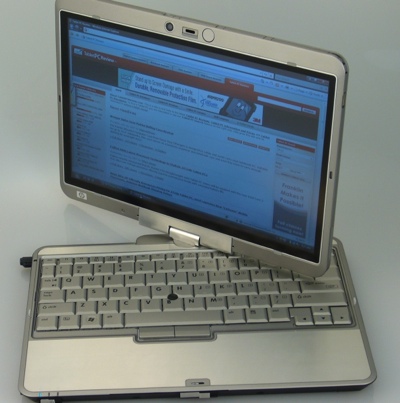
HP Compaq 2710p


Starting at only 3.6 lbs and 1.11 in thin, the HP Compaq 2710p Notebook PC offers you the functionality of an ultra-light notebook plus the flexibility of an ultra-slim tablet. 12.1-inch diagonal widescreen Illumi-Lite display provides for a lighter and more energy efficient notebook, providing improved battery life, compared to past generation Tablet PC’s. The chemically-strengthened glass top provides improved durability and a superior writing experience. An optional outdoor display panel improves viewability in sunlight; providing more contrast and less reflections

HP EliteBook 2730p


The HP EliteBook 2730p is an update to the 2710p tablet. It still has that great stainless steel look and solid design. The 2730p features Intel Core 2 Duo processors, up to 4GB of memory, up to 120GB 5400 rpm 1.8-inch SATA II hard drive and a 12.1-inch Illumi-Lite WXGA UWVA anti-glare display. A good travel companion tablet

Lenovo ThinkPad X200


The Lenovo X200 is a solid ThinkPad. It has the same plain black signature design and a solid keyboard and display. The ThinkPad X200 features an Intel Core 2 Duo processor, Windows Vista Business, 12.1" WideView Standard WXGA display and a 80GB hard drive. It's a business focused tablet, great for note-taking though

HP Pavilion tx2500z


The HP Pavilion tx2500z tablet features an AMD Turion 64 X2 Dual-Core Mobile Technology processor, up to 4GB DDR2 system memory, ATI Mobile Radeon HD 3200 integrated graphics and a 12.1" WXGA touchscreen/active digitizer display. It still maintains the same solid design and features as its predecessor, the tx2000 as well

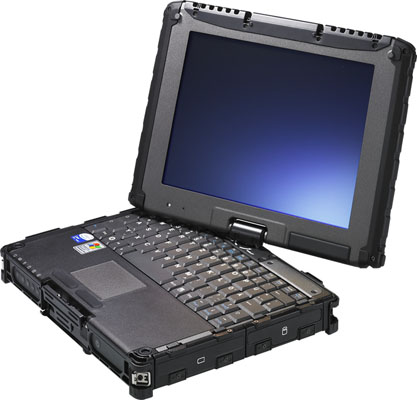
Getac V100 Rugged Tablet Review


When it comes to making rugged notebooks and tablets, Getac is one of the most respected names in the business. As impressive as the fully rugged Getac V100 tablet might be at first glance, there's one thing that makes this tablet really special ... a screen rated at 1,200 nits brightness! By comparison, a good notebook screen might only be rated as a 250 nit screen. We're talking about a rugged tablet that can not only be used in the middle of the desert, but that has a screen you can still read when the desert sun is beating down from above. Read on to see how well the Getac V100 holds up against our testing.

Fujitsu Updates LifeBook Notebooks and Tablets


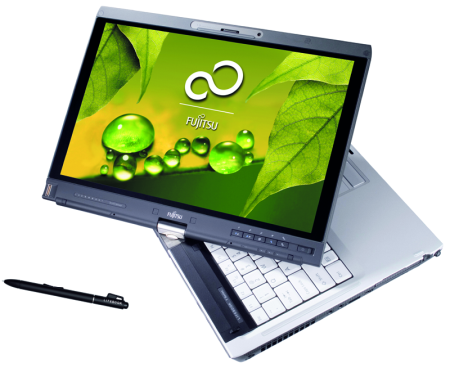
Fujitsu has updated the LifeBook T5010, T1010, P1630 and T2020 convertible Tablet PCs, which now join the mini convertible notebook LifeBook U820, providing users with integrated AT&T BroadbandConnect HSUPA. In addition, the LifeBook E8420 notebook is expected to boast support for EV-DO connectivity, a feature that is slated to become available in the second quarter of this year.

Dell Latitude XT2 Tablet PC Offers New Multitouch Features


Dell this week revamped its tablet lineup with the new Latitude XT2 tablet PC that offers a range of new features, including new multitouch capabilities. In addition, the Dell Latitude XT2 tablet offers more battery life, the choice of two different ultra low-volt Intel Core 2 Duo processors, DDR3 memory, a solid state drive option and a starting price of $2,399. The Latitude XT2 tablet builds on Dell's previous tablet offering - the Latitude XT - which help bring Dell into the tablet market for the first time in 2007. (Source: eWeek)

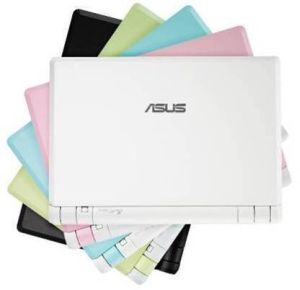
ASUS Eee PC transformed into ultra-portable tablet computer


Netbooks are going to be hot this year, with both Dell and Sony — among others — trying to get in on the Asus Eee PC and its success as a cheap, functional laptop for light computer use. So how about a net-tablet? That's basically what this modded Eee PC is, worked over by a Japanese modder who ditched the keyboard and turned the Eee into a handheld ultraportable tablet computer.
The end result is a fully-functioning UMPC that's only 1.68 pounds, with buttons on the face of it for simple navigation, and a stylus to interact with the touchscreen. It'd be interesting if the Eee PC's voice commands made it in, too. (Source: Kevin Hall, Dvice)

Tablet PC2 Review: HP 2730p EliteBook Tablet PC


Sleek and thin with a beautiful display the HP 2730p EliteBook Tablet PC is packed with features and small details that make the HP EliteBook Table PC experience stand out from the crowd.
With so may Tablet PCs available today what makes the 2730p Tablet PC standout?
Ease of use, an exceptional screens..... There is no question that HP paid careful attention to detail when designing the HP 2730p EliteBook Tablet PC. The listened to users It's sleek, sturdy and powerful, the case is fingerprint resistant, it has a great pen and ink experience,a built in webcam and a light to illuminate the keys.. Those are just some of the features that made the HP Tablet PC stand out from the crowd.

Panasonic Announces Toughbook H1 Mobile Clinical Assistant


This looks like a killer piece of hardware for healthcare. Specifications include:
Genuine Windows Vista® Business with Service Pack 1 (with Windows XP Tablet downgrade option)
Intel® Atom™ processor (1.86GHz) Z540 with 533MHz FSB, 512KB L2 cache1GB standard RAM configuration
80 GB 1.8-inch shock mounted hard drive
10.4” XGA sunlight viewable 500 NIT Dual Touch LCD screen (1024 x 768 resolution),
InPlay Technologies digitizer
Anti-reflective screen treatment
Integrated 2.0 megapixel auto-focus camera with dual LED lights
Fingerprint scanner
Contactless smartcard reader
RFID reader
Fully rugged MIL-STD-810F and IP54 compliant 3 foot drop approved
Magnesium alloy chassis
Sealed all-weather design
Rain-, spill-, dust- and vibration-resistant
Intel® WiFi Link 5100 802.11a/b/g/draft-n
Bluetooth® v2.0 + EDR
Integrated docking connector
Integrated options:
Optional integrated WWAN / Gobi™-enabled mobile broadband (EV-DO and HSPA)
Global position system (GPS) receiver
2D barcode reader (also reads 1D barcodes)
6 hour battery lifeTwin Hot-swappable batteries3.4 lbs (with batteries)10.4” (W) x 10.6” (H) x 1.3” - 2.3” (D)

Happy New Year!!! Hamingjusamur Nýár! Feliz año nuevo! Verheugd Nieuwjaar!


Have you made your New Year's Resolutions yet? I make mine every year, and it doesn't matter that I don't necessarily keep them; what matters is that I try to keep them and while I may not completely change for the better, I like to think that I am gradually progressing toward my goals.Christmas provides an all too brief respite from work, and now it's time to get busy again. Making resolutions means that I have to examine different aspects of my life which in turn means examining not just my actions, but also my surroundings. And the Great Cleaning begins!
Every year one of the resolutions that I have had on my list for many years now (at least 20) is to be more organized. Obviously since I am not the most organized person in the world, I am progressing slowly, tortoise-slowly, where that goal is concerned. But I still think that it helps to me every year to resolve to get better. And usually in some (little) ways I do.

I will be doing an inventory this month and re-organizing my office/studio (and it does need it!). Some of the pieces that you see on this page are newer pieces that are in our inventory as of today although they may not all have the proper information on our site yet. Stop by and see us as we spruce up the Cluny Grey Jewelry site. And make those resolutions; after all, it can't hurt and may help!

Garnets for January


The birthstone for January is the garnet - probably named after the pomegranate whose seeds it resembles. If the garnet is your birthstone, you're lucky since the very dark red garnet goes with almost every colour in the wardrobe. But if you really don't care for the dark red, grossular (green) garnet is equally beautiful as is the yellow-gold of Hessonite garnets. In fact, garnets come in almost every colour except blue.

According to folklore, garnets have wonderful and magical qualities that are supposed to help one with everything from attracting love and success to curing depression and skin disease. It also inspires self-confidence and courage and bestows the wearer with energy.Garnets look especially good with lampwork; they also play well with other gemstones as you can see in the picture below of the garnet and citrine bracelet. Garnets look equally good with gold or with silver so they never really go in and out of style the way many gemstones do. Of course, the Victorians were great aficionados of the garnet and mixed it with pearls and even with turquoise.

Jewelry and Computer Cats


I've still been working with garnets to some extent since it is the birthstone for this month. I've been exploring garnet mixtures and came up with a couple that I'm satisfied with. The first is the bracelet above, made possible by the large, square, beautiful lampwork bead with a sprinkling of sterling silver across the middle and two different shades of pink: on the left is pink opal, to the right is a graduated pink. Two roughly faceted garnet nuggets are offset by two gorgeous Peruvian pink opals - best quality, with a strong deep pink and some translucence. I love these glorious opals! The bracelet below is another mixture that I accidentally discovered when my bench was covered with all kinds of gemstones. These beautiful rounded rectangles of pietersite happened to be lying next to the lampwork beads that you see in the bracelet. I tried amethyst, but it clashed, the way that some gemstones do unexpectedly sometimes, when you'd swear that they would be perfect together. However, the dark garnet was perfect. Garnet, pietersite and very pretty lampwork beads - not a combination I see everyday, but one that I do like. Both bracelets are on the Garnet Bracelets page of the site.
I've been lucky lately with getting some beautiful borosilicate lampwork beads with unusual colours and great blends of colours. The peach - pink - orangey ones in the rhodochrosite bracelet below are an example. They are so lovely, in fact, that I don't put them in the little drawers that I have for different colours; I leave them out on my desk so that I can look at them. The gemstone bracelet below has the addition of two pinkish genuine rubies on its second strand, and a generous helping of some of my most intricate sterling silver.

Finally, I would like to introduce you to two of the greatest joys in my life - and my helpers whenever I do work on the computer. In front is Cuervo Sebastian, winking at the camera. Behind in his usual place snuggled up next to the computer (it's very warm there) is Cluny Camillo. Cluny and Cuervo are kind enough to let me live here with them, and they even let me sit here on the bed while I work on the computer and watch tv. By the way, they don't wear jewelry!

A Batch of Bracelets


I love bracelets as you can probably tell by looking at this post today. New gemstones and sterling silver are a great temptation and make it hard to leave the office to go home. Sometimes I have so many pretty gemstones that it is overwhelming - I want to use them all at once, think of 10 different projects and can't get started on any of them. But I have gotten a bit done this week.The unusual bracelet above is definitely a "happy" bracelet full of colour and fun. I pulled some of my James Derrick Reeves special lampwork beads from my secret stash and used turquoise chalcedony, carnelian, amethyst, and jade to pick up the colours in these very colourful beads.Below, Suzette Celestin's very feminine beads are complemented by large nuggets of pink Peruvian opal and green quartz in this unique bracelet that appears to be a harbinger of Spring (ah, but at least 2 months of chill before the warm comes to Arkansas!).

In contrast to all the colour above is this jasper bracelet handmade (of course) with ocean jasper in soothing shades of green and off-white and wonderfully subtle lampwork beads to match.Below the jasper is a new combination for me: porcelain jasper ovals with faceted and smooth muscovite, gold-laced lampwork bead with the same quiet tones as the jasper and intricate sterling silver. You will be able to find this one on the Unusual Jewelry page of the Cluny Grey Jewelry website.

The Ice Storm: Diamonds Outside; No Electricity Inside


Hello, everyone.I have been suffering from Internet withdrawal, lack of heat, hot food, and hot showers. Why? Tuesday evening when we arrived home, we had just walked in the door when the electricity went off. It has never come back on at home. We have an all-electric house, so that means we have no hot water, no heat source but our fireplace, and no light but candles. Did you know that you can read by candlelight?Unfortunately, the electricity has been off at our offices also until this afternoon. When we found out that the electricity was back on at the office, you've never seen two people leave a house in such a whirlwind! The cats still had perplexed looks on their faces as we ran out the door!We have had a huge ice storm; trees that I thought were so old and strong that they were untouchable have had limbs broken off from the top and sides so that they are only half as tall as they were. (I took a picture, then left my camera at home, but I will post). Everything outside is shining, beautiful like some kind of fairy land . Hans and Gerda may run through my back yard any minute! But the sounds Tuesday night and Wednesday night were horrible, the cracking sounds of branches breaking off trees - all night long.I've never experienced a power outage this long before, and as soon as I got to the office, I tried to find out when it would end. It may be Sunday before we have power (and we live in town - and all of our power lines are underground!). It could be longer.As long as I can get to the office and on the Internet, I may be able to keep my sanity (thank God, our offices are across from the police station and the county courthouse!).PLEASE if you have any tips for living without electricity, share them with me!

Into the Light!


Last night was absolutely wonderful! Why? Because at one point, while we were staying late at the office (I think it was about 10:00 or so) we checked the Entergy map that was online and saw that instead of red lines marking our street, we had green! We packed up quickly to go home, hoping all the way that the electricity was really in, that it wasn't some kind of cruel joke that the electric company had played on us.At the back door we were greeted by the cats and warm air and a hall light that we didn't know that we had left on. What bliss!

Yes, Thank God, we now have electricity once again. The difference is amazing. It's not that we're warm, strangely, the cold didn't bother me that much, or rather, I managed to stay warm. What is wonderful is having light again - how I missed lamps! - and the Internet connection. And of course hot water. Night before last I took my first cold shower; I wanted a shower so much that I didn't even mind that the water was cold. Luckily it wasn't the ice cold of outside water, but the milder cold of water that had been in the hot water heater for 2 days - cold, but not icy.I spent a lot of time at the office, so I do have some work to show, thank goodness, since Valentine's Day is coming soon.I've been working with rubies so much lately (a commission for a client) that when I take a break, I've been mixing them with everything. As you can see in the top necklace, I've mixed some rather pink rubies with apatite; because of Suzette Celestin's wonderful lampwork beads, it's a winning combination.Below that is a 14 karat goldfilled bracelet with pretty textured oval links and wirewrapped gemstones: ruby (of course), apatite, chalcedony, and aquamarine. I especially like this one - and almost wore it home (I always try on my bracelets and wear them for at least 30 minutes to make sure that there are no rough spots, that they are well-balanced, and that the clasps work well).

Man Flu


Yes I caught my husbands Man flu - I felt yucky all day Friday but had my final party of 2007 to prepare for so had to soldier on (whose playing that violin!?!) party was fab but when I got home this stinking cold piled in and on Saturday I took to my sofa (caught up on some tv lol) and didn't really move off it all day - yesterday I pottered but still feel awful BUT because my lovely husband kept working through his I can't go hibernate I'd never hear the last of it ;)
I've nearly uploaded all my new pieces onto the website but this month I will try and add something as soon as its made - as much as I can anyway!!
The charm bracelet is with of course Caroline Hannon's charm beads in black and silver with black agate, onyx and crystals, lots of silver and some jingling bells - Elli says its sounds like Santas sleigh!!

On the mend!


Thank you so much for the Get Better soon messages I have - it was lovely:D I did mean to post yesterday but ended up collapsing on the sofa instead - sorry! I did before that catch up on some commissions outstanding so the pressure is definately off now (well only my own pressies to make and do - hahah is my own sisters read this I wonder if they are rolling their eyes!) I have also been in an earring mood and have made a few pairs - maybe because my attention spane doesn't have to be for too long??!!
Elli had her testing today with school for swimming - now I think she is a beautiful swimmer - she swims with her hands by her sides flipping her feet like a mermaid ( head under water *very important) she glides through the water so gracefully .... and then she needs some air so she doggy paddles while she gasps and phew back down for more graceful swimming - I guess you can get the picture - if we gave her a snorkal I think she would do just fine lol!! Needless to say she only managed 9 metres - yep 1 metre too short for her badge and certificate - but well done for getting that far - if you read back on my blog you will see the magical moment she suddenly could swim - it wasn't that long ago!

Happy Birthday Nan!


Today my lovely Nan is 85 shhhh don't tell her I told you - you see its a secret she tells everyone she's 39!!! Ever since I was little my Nan has been 39 and yes it took a few years to sink in that she wasn't really - trusting little soul I was!

My Nan has always been an inspiration to me - life is always happy and full of fun - we not similar except I suppose I am a morning person ;) and I have her black hair but you see my Nan was beautiful - pictures of her as a young woman I see her as glamourous in that 1940's way - like the movie stars - I have heard she caused a stir when she moved down to Mevagissey after meeting and marrying my Pops - she was born and raised in Tunbridge Wells. During the war while my Pops was stationed in Kent (thats when they met) my Nan worked in an aeroplane factory - building parts for the aircraft- she said she never understood why she couldn't have been sent to the chocolate factory!!

SO I made these pieces for my Nan - she loves purple which is why I chose the Amethyst and I thought the pearls have that classical beauty about them! We are all going out on Sunday to celebrate!Oh and a BIG HAPPY BIRTHDAY to Kara - one of the loveliest ladies on the blogging world I know

Something Warm!


Brrr hasn't it gone all cold and stormy outside - walking Elli to school this morning was a battle and a half ! I felt like tying a rope around Elli's ankle just in case she did that Mary Poppins thing and took off! When Elli was about 3 and at afternoon nursery I remember walking to school with my brolly up. The wind was so strong it kept tugging it and I remember saying to my friend "Ohhh I'm gonna take off" with that a little hand came out and took my hand - tight and I mean so tight I could feel the blood leaving lol then another little hand and took hold of my coat. Looking down I saw a very worried 3 yr old and asked her what was the matter - "I don't want you to turn into Mary Poppins Mummy - she never came back!" Bless her - Mary Poppins was her favourite film - maybe she had overload;)
The above bracelet is with Carolines beautiful beads and mixed with deep Carnelian and Bali silver give a rich and warm looking bracelet don't you think?? The earrings of course are Isabelle Anderson beautiful simple earrings with a touch of Bali silver.

I've been tagged!


I've been tagged by Brandi of Caties Blue so I'm going to bore you with 5 things about me!1) I'm the youngest of 3 girls - my poor football mad Dad was desperate for a son!2) I bite my nails - I didn't used to though so if anyone has any hints or tips I'd love to stop!3) I Love reading chicklit - you know the ones girl meets boy blah blah blah4) I adore history especially the Tudor times - how they live etc5) I bought a dress yesterday hahahI'm tagging Caroline of Crafted Gems ,Catherine of La Perle,Krista of Crystal Seas, and Mandie of Jewellery Craft. Hope you enjoy being tagged!!
The weather prompted me to make this necklace - chunky silver and Crystal Quartz with Isabelle Andersons beautiful artisan glass beads. Mind you it's a definate year round necklace!

Its Monday - right??


Its no good having Elli home from school - it throws my week right out - so its not Monday?? Elli has gone back to school today - no temperature this morning and she was desperate to go because their school nativity starts tomorrow so off she went wrapped up in her hat, scarf and gloves!! It was freezing this morning or as Elli calls it "Jack Frost has been".
I actually started on my family's pressies this morning - of course I can't show you because they may peak!! Lets just say I nearly froze my fingers off this morning in my garage it was so cold - think I may have to invest in a little heater to take the edge off the cold air in there. Cold hands does not make it easy to work especially when you keep hammering your fingers at the same time!!

The above necklace is created with Isabelle Anderson's etched purple beads with amethyst and silver - on silver adjustable chain - what do you think??

Nativity


Today was Elli's first day of her nativity at school - my little munchkin was an angel but when I arrived at school she was an angel in floods of tears - her tummy hurt and she wanted to go home. Now any Mother with a dramatic child will go through the same questions as I did - first the soft cajoling, then the concerned maybe she's going to be ill again (see yesterdays post!) then the bribe - if the bribe doesn't work then she really is poorly - it didn't to begin with I said no to Rainbows later and she shook her head - then her teacher offered a merit - these little stickers they are given for good work - and all of a sudden she nodded and decided to be brave - what is it with stickers lol!!